Manage FF&E specification, procurement, and product data at scale. Take on bigger projects with confidence and grow your firm with Fohlio. Book a consultation to explore these features today.
What is an FF&E spec sheet?
A specification sheet, sometimes called a "spec sheet," is a technical document outlining the specifics of how an FF&E product or material is supposed to function. Spec sheets are utilized in any situation where they can serve as a guide to building things in a detailed or precise manner.
Some Basic Guidelines:
Your industry will determine the most appropriate design for a spec sheet, but there are some basic guidelines you should go by:
- Use visual information instead of solid text blocks if a table, bulleted list, or graphic can better represent the information.
- Make sure your technical document contains all the details a potential customer needs to make an informed purchasing decision.
- It has to be easily understood
- It has to have all the information you could possibly need to ensure that this item will be properly utilized
Let’s Dissect This:
Essentially, creating an FF&E spec sheet comes down to making a document that can guide you through each of your products and how they relate to your project in one condensed page.
And creating an effective guide is all about giving answers to the right questions. So here’s an easy guide on how we like to do things at Fohlio.
Guide 1: What project does this item belong to?
There’s usually a large flurry of projects simultaneously going on for large firms. This can get you jumbling products from different projects from time to time, which can create confusion and mix-ups during the procurement process. The wrong order quantity can set up a host of problems like budgeting overruns and timeline delays from doing returns. Avoid these issues altogether by making the project information visible.
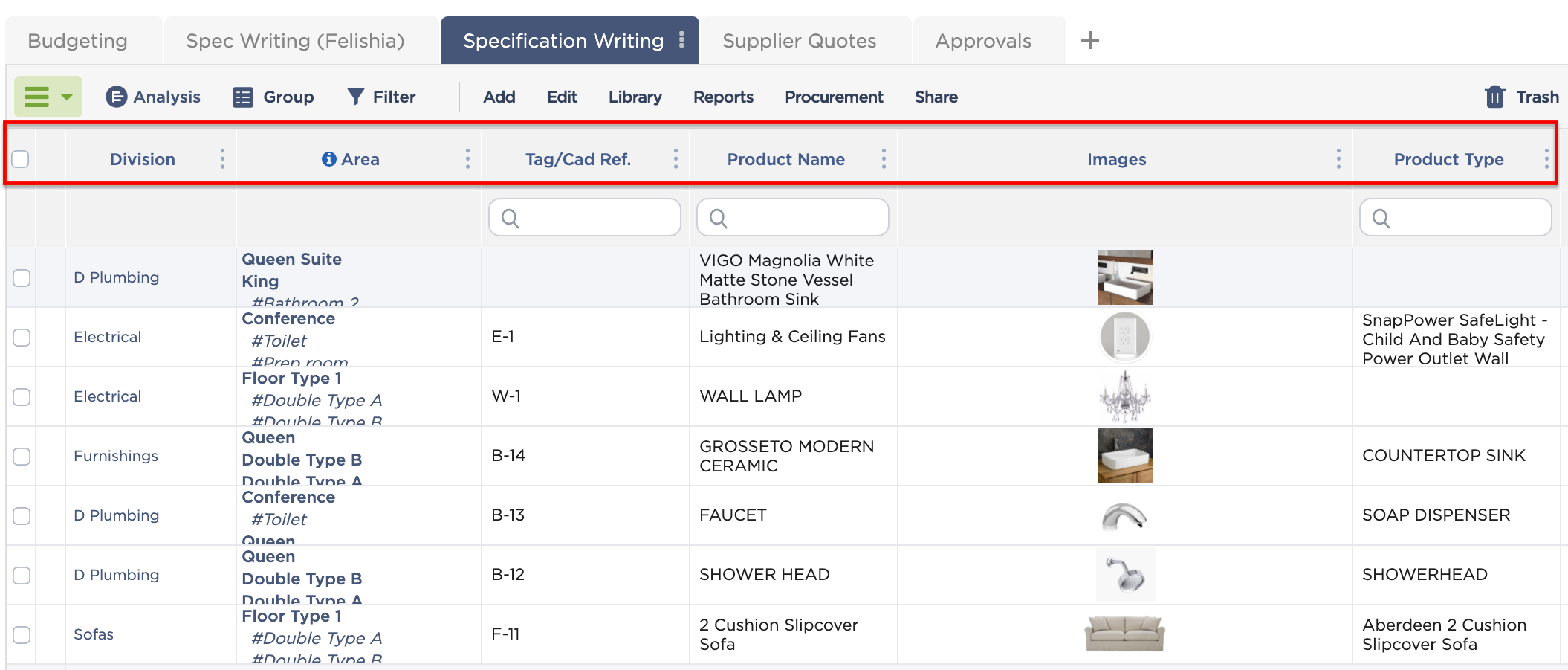 Guide 2: What are the product's crucial identifiers and characteristics?
This is crucial because for projects like hospitality or facility projects that need to adhere to strict compliance standards, it’s essential to see whether the products you’ve specified meet the requirements. Whether it’s sustainability, health, or accessibility standards, these types of data are essential to your stakeholders and may make or break the approval for your specifications. Make sure to make these types of data available at a glance to get faster approvals from essential stakeholders.
Learn more: What is FF&E: The Ultimate Guide to Specification, Procurement, and More
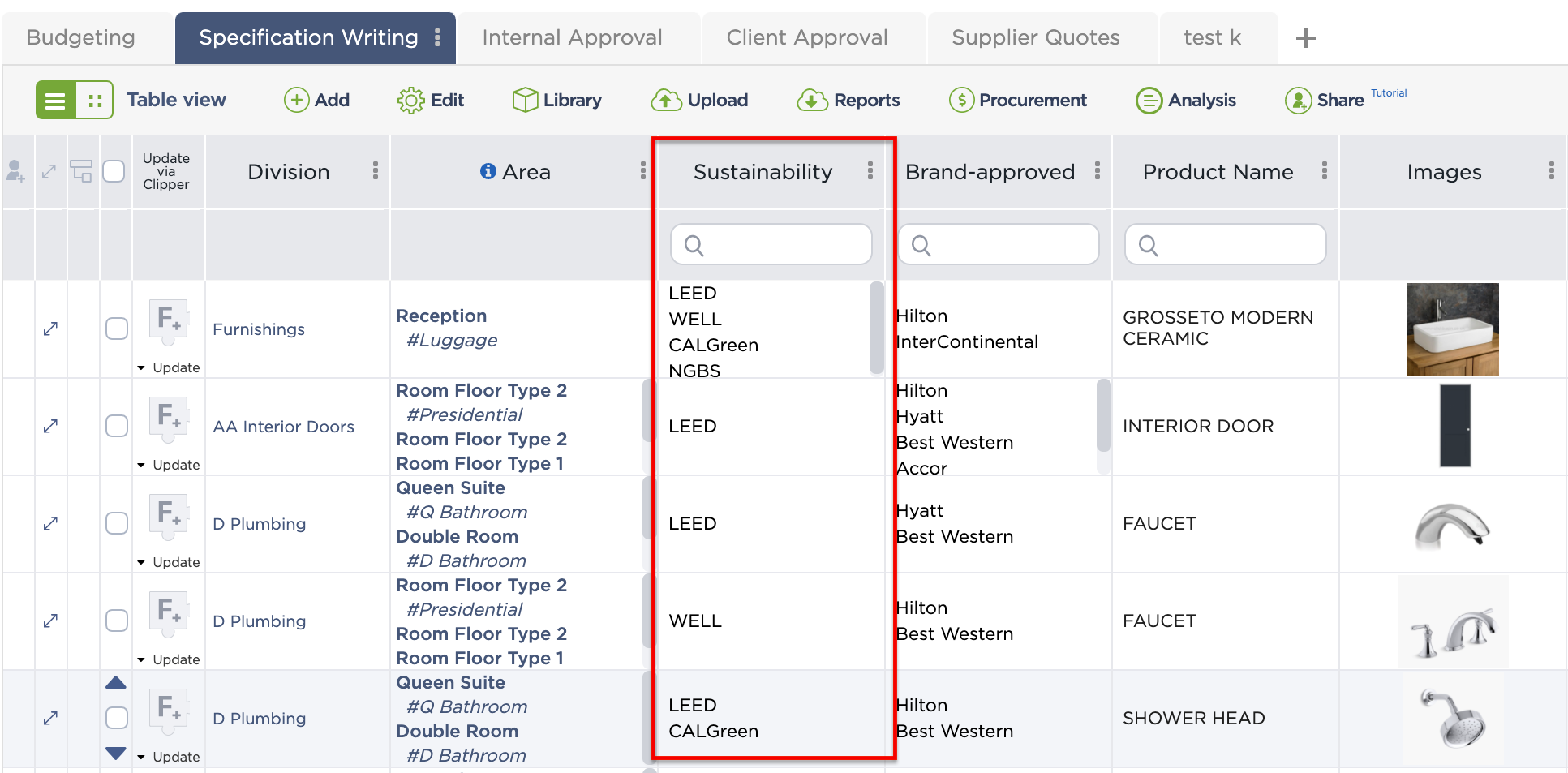
Organize specifications according to different identifiers.
Guide 3: How does this item’s price affect the overall budget?
Good quality materials and products often come with a hefty price tag. Enough to make a dent in your project budget. An accessible overview of price-related information about your specification will make it easier to factor in whether a product will make the cut.
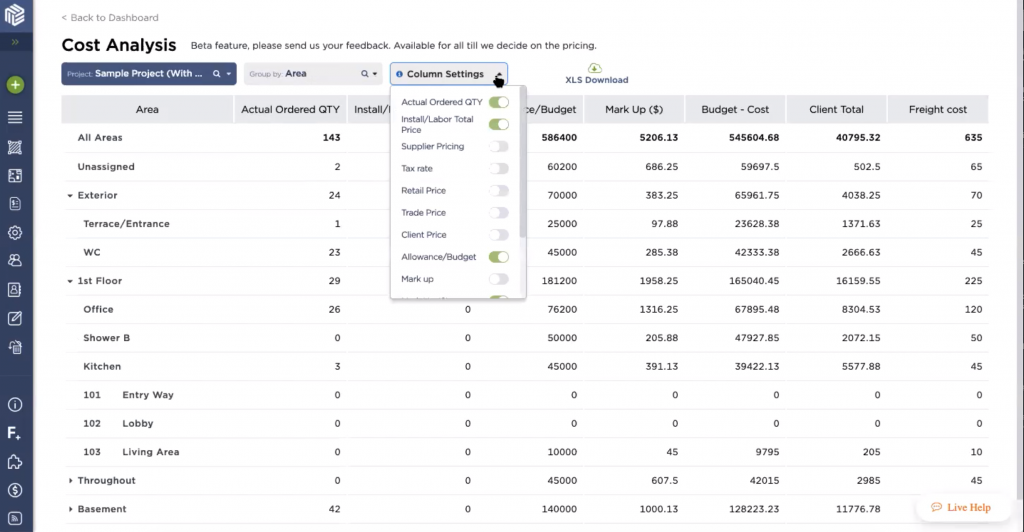
A cost analysis breakdown of all your project specifications.
Guide 4: How is this material going to function? How will it be installed?
This data is crucial to your contractors- especially if you’re dealing with custom materials. This will serve as their blueprint for installing your item into the built environment.
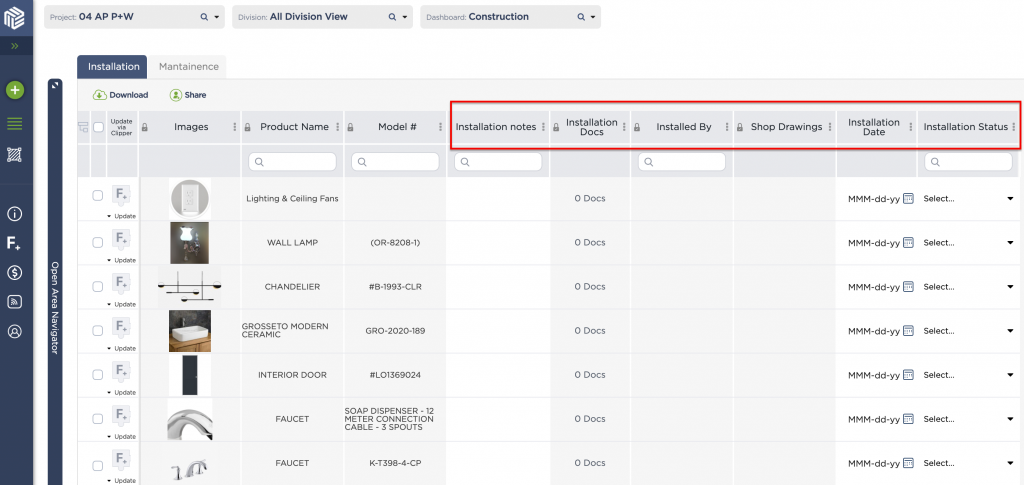
With Fohlio, you can upload installation guides as part of a specification.
Guide 5: What category does this item fall under?
This makes it easier to locate items if you’re one to keep a giant library of products and finishes. It also is a good way of finding products under the same category- the quickest way to find alternate products if you’re in a pinch.
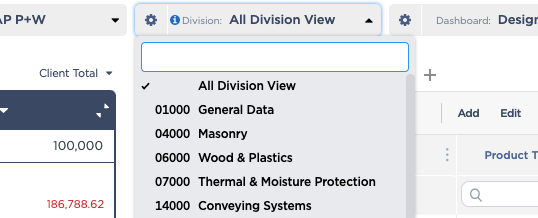
With Fohlio, you can arrange items using CSI divisions- the most widely used standard for organizing specifications in the U.S. and Canada.
Guide 6: Where will this item be located?
Item location is one of the most overlooked data points when it comes to building a spec sheet. Having this information assures that you know where your products will be placed and that they won't get lost in a sea of inventory.
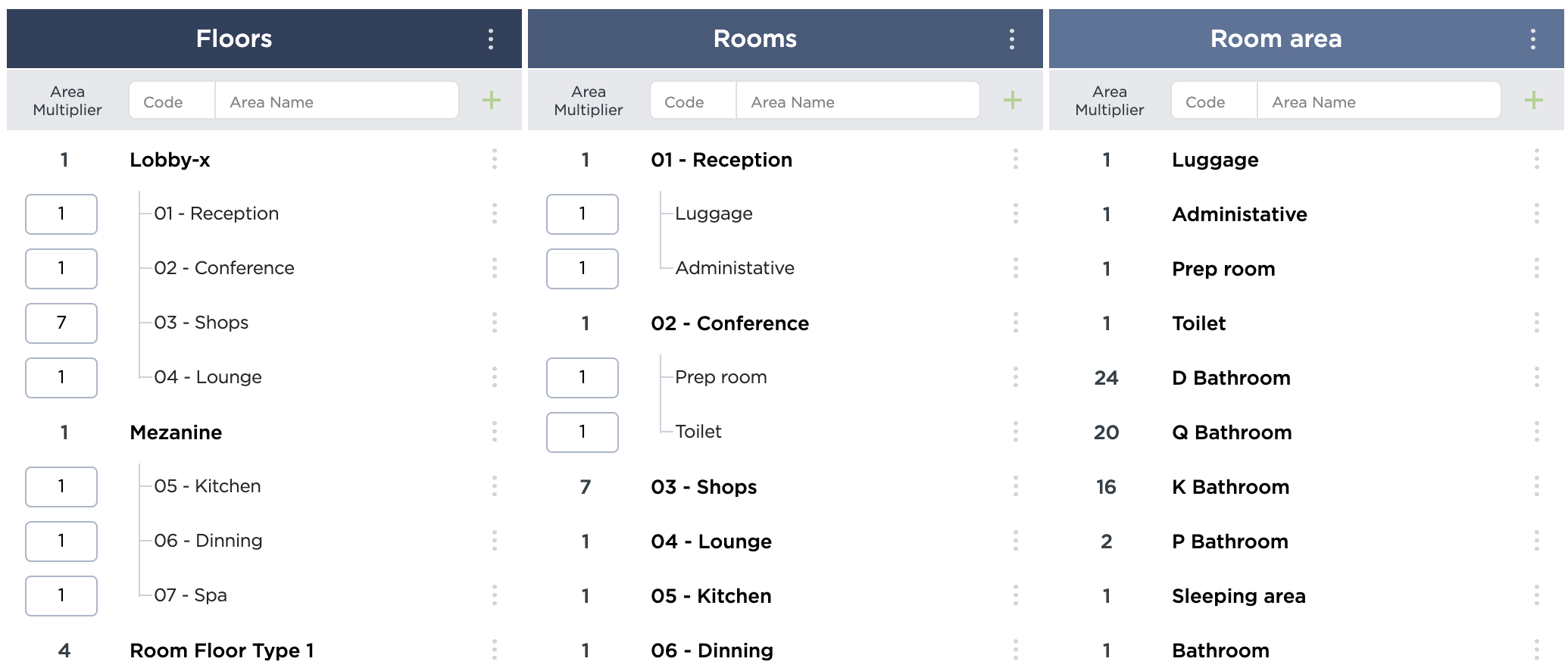
Set up specifications according to floors, rooms, and room areas in Fohlio.
It’s as simple as that! Remember: product spec sheets are all about making crucial points of information about your product accessible to those who need it. Ask yourself, what questions need to be asked in order for me to smoothly integrate this product into a project? From there, structure an easy visual material that will serve as your bible of data, and you’ve got yourself the perfect product specification sheet.
Happy creating!
Manage FF&E specification, procurement, and product data at scale. Take on bigger projects with confidence and grow your firm with Fohlio. Book a consultation to explore these features today.
How to Build a Precise Product Specification Sheet in 5 Steps
Creating an airtight product specification sheet (spec sheet / cut sheet) prevents costly procurement errors, installation mismatches, and budget overruns. Follow this step-by-step framework to document your architectural and interior FF&E items.
Step 1: Identify and Categorize the Item
Assign each product a unique project identifier code (e.g., L-01 for Lighting, CH-04 for Seating, PL-02 for Plumbing) and align it with the appropriate CSI MasterFormat division (such as Division 09 Finishes or Division 12 Furnishings). Detail the exact room number, floor level, and spatial placement so contractors and installers know precisely where the item belongs.
Step 2: Extract Core Product & Manufacturer Details
Document the exact manufacturer name, official vendor/supplier contact, trade collection name, model number, and SKU. Always include a direct reference link to the manufacturer’s product webpage and digital cut sheet to ensure trade discounts and current availability are verified before ordering.
Step 3: Record Exact Dimensions & Technical Specs
Specify full dimensional measurements: Height × Width × Depth, plus critical clearances (seat height, arm height, ceiling drop, or rough-in requirements). List the exact materials, finishes, color codes, upholstery grades, hardware types, and required electrical/plumbing connections (voltage, wattage, pipe connections).
Step 4: Define Compliance, Ratings & Commercial Grades
For commercial, hospitality, or residential projects with code requirements, document necessary ratings:
- Fire & Safety Certifications: CAL 133, NFPA 260/701, ASTM E84.
- Environmental Standards: Greenguard, FSC Certified, LEED credits.
- Durability: Double rub count (Wyzenbeek/Martindale) for commercial textiles and moisture/slip resistance for tile.
Step 5: Add Pricing, Lead Times & High-Resolution Imagery
Input the unit list price, trade/discounted price, required quantity, and estimated shipping costs. Crucially, log the vendor lead time (including production and freight) along with required deposit percentages. Attach high-resolution product render photos, dimensional line drawings, and finish sample swatches to eliminate visual ambiguity.
Ready to speed up the process?
It's time to start using a specification and procurement project management system life Fohlio. Fohlio has many ways to quickly upload items into your spec sheet:
Take on bigger projects with confidence and grow your firm with Fohlio. Book a consultation to explore these features today.
.png)